

Wan 2.6 Review: Testing the New AI Video Generator on PixaryAI
Alibaba has just rolled out Wan 2.6, and after spending time testing this Wan 2.6 AI video generator, I can confidently say the update represents a meaningful leap forward. Compared with earlier versions, Wan 2.6 AI free workflows now deliver a clearer understanding of camera language, smoother shot transitions, more convincing body movement, and a noticeably higher level of scene realism. In this post, I’ll walk you through general differences between Wan 2.5 and Wan 2.6, and four practical Wa
Alibaba has just rolled out Wan 2.6, and after spending time testing this Wan 2.6 AI video generator, I can confidently say the update represents a meaningful leap forward. Compared with earlier versions, Wan 2.6 AI free workflows now deliver a clearer understanding of camera language, smoother shot transitions, more convincing body movement, and a noticeably higher level of scene realism.
In this post, I’ll walk you through general differences between Wan 2.5 and Wan 2.6, and four practical Wan 2.6 prompt scenarios, each designed for a different creative goal. Whether you’re exploring Wan 2.6 video generator free options or refining more advanced video ideas, these examples go beyond simple copy-and-paste prompts — they show how to think strategically when prompting Wan 2.6.
Wan 2.5 vs Wan 2.6: General Differences
The differences between Wan 2.5 and Wan 2.6 are not abstract marketing claims — they show up clearly in real usage. From a reviewer’s perspective, three areas define the gap between the two versions.
Role-Playing Function
This is the most fundamental upgrade in Wan 2.6.
- Wan 2.6: Introduces the first role-playing function among domestic AI video models. The system can automatically recognize the appearance and voice of characters from input images or videos. This allows character replacement, action imitation, and role-based video generation without manually writing detailed prompts.
- Wan 2.5: Does not support role-playing. Users must rely entirely on text prompts to describe character traits, appearance, and behavior, which often leads to inconsistent results.
From a testing standpoint, this makes Wan 2.6 AI video generator far more accessible for creators who want fast, character-consistent outputs.
Video Generation Duration
Duration directly affects storytelling potential.
- Wan 2.6: Supports video generation of up to 15 seconds, allowing more content density and smoother narrative progression.
- Wan 2.5: Limited to 10 seconds, which often forces scenes to feel rushed or incomplete.
In practice, the extra five seconds in Wan 2.6 free video generation significantly improves pacing, especially for multi-action or emotional scenes.
Multi-Shot Narrative Capability
This is where Wan 2.6 begins to feel like a filmmaking tool rather than a simple generator.
- Wan 2.6: Can translate prompts into multi-shot scripts, automatically handling shot transitions while maintaining subject and scene consistency. This makes it suitable for professional or semi-professional film-style content.
- Wan 2.5: Focuses mainly on single-shot generation. Multi-shot videos require manual stitching, and consistency across shots is difficult to maintain.
During testing, this capability alone explained why the same prompts produced dramatically better results in Wan 2.6.
Testing Wan 2.6 in Action
After testing the core capabilities of Wan 2.6 AI video generator with different scenarios, I found that its improvements in camera understanding, motion realism, and multi-shot transitions really shine when applied to varied storytelling setups. Here are four example prompts that highlight these strengths:
Coffee Shop Chemistry: A Cozy Evening Romance
Couple sitting at a cozy café table. Establishing shot of café exterior at dusk, medium shot through window capturing conversation, low-angle shot of coffee cups and hands touching. Close-up on facial reactions, top-down shot over the table emphasizing intimate gestures. Lighting warm, natural reflections on glass; maintain clothing and hairstyle consistency.
wan 2.6 result:
wan 2.5 result:
Alley Sleuth: Detective on the Hunt
Detective inspecting a dim alley.Tracking shot along puddles with reflections, low-angle shot on footprints, close-up on magnifying glass over clues.High-angle tilt showing alley layout, over-the-shoulder shot observing surroundings.Trench coat flaps and subtle hand gestures maintained consistently.
wan 2.6 result:
wan 2.5 result:
Rainy Train Station Farewell
A couple says goodbye at a rainy train station. Start with a long-lens shot through falling rain, then a low-angle shot of shoes near puddles. Over-the-shoulder shot during whispered dialogue, followed by a tight close-up on trembling lips. Conclude with a tracking shot as one character walks away into the crowd. Moody lighting, natural rain interaction, emotional realism.
wan 2.6 result:
wan 2.5 result:
Underground Fight Training Scene
A fighter trains alone in a dim underground gym.Begin with a handheld tracking shot following footsteps, then a low-angle shot of punches hitting a heavy bag.Cut to a slow-motion close-up of sweat flying, switch to a POV shot during shadowboxing.End with a high-angle shot revealing the empty gym.Consistent physique, realistic muscle tension, dramatic lighting.
wan 2.6 result:
wan 2.5 result:
Review Verdict: Is Wan 2.6 Worth Using on PixaryAI?
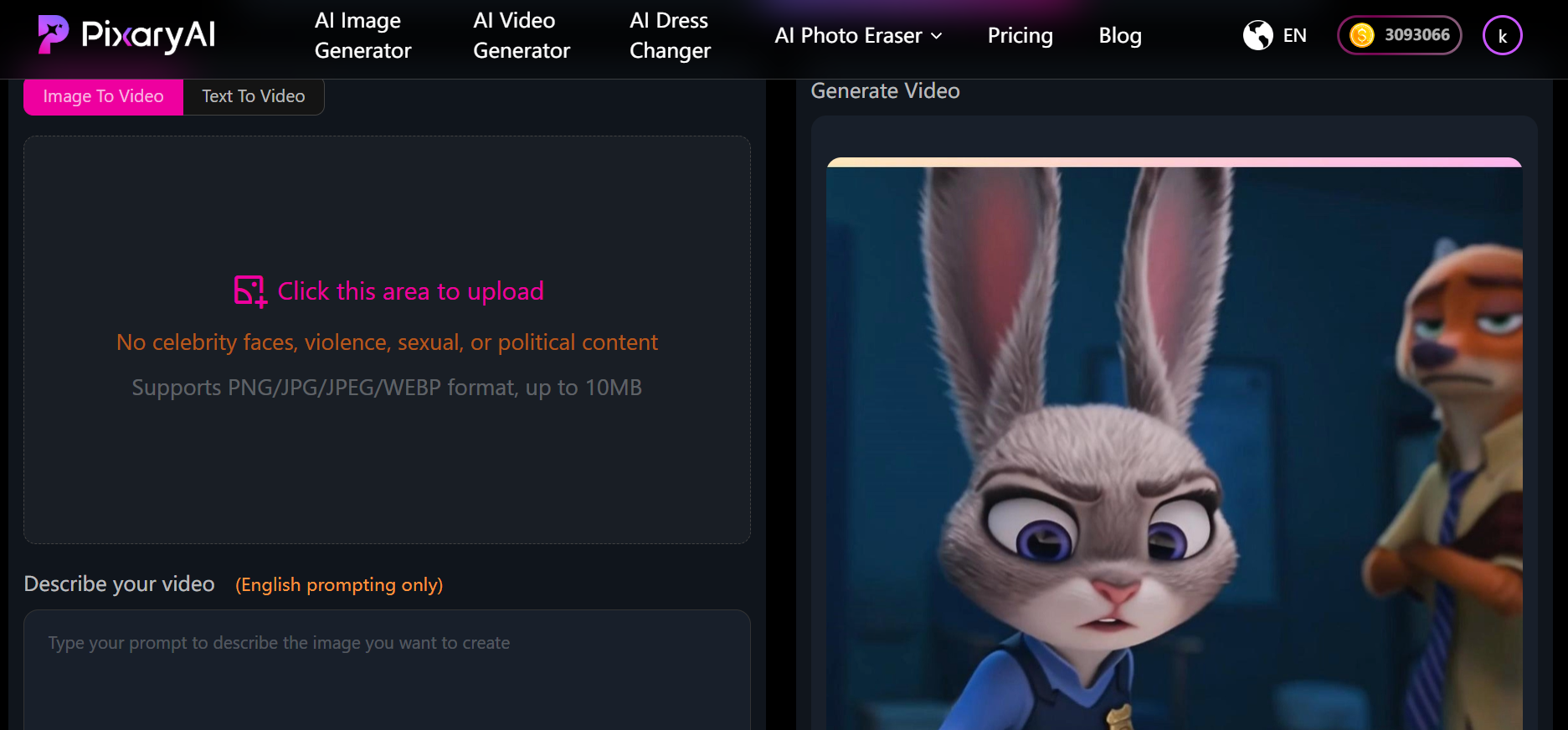
If you’re looking for a Wan 2.6 video generator free option or want to test Wan 2.6 AI free workflows online, PixaryAI is currently one of the easiest ways to do it. You can also explore the full capabilities of the Wan 2.6 AI video generator for more advanced projects, or experiment with Wan 2.6 free video generation for quick creative results. Overall, the Wan AI video generator functionality makes producing videos simpler and more reliable than ever.With PixaryAI, you get:
- Free trial to use wan 2.6
- Stronger performance in Wan 2.6 AI free workflows
- More predictable output for both image-to-video and text-to-video
Whether you’re experimenting with Wan 2.6 AI video generator features or producing polished short clips, the upgrade is absolutely worth it.
Final Review Summary
Wan 2.5 can still generate usable visuals, but Wan 2.6 changes how prompts are interpreted. It feels less like prompting an image model and more like directing a camera.If you want to generate video with Wan 2.6 or test the Wan 2.6 free video generation capabilities, I strongly recommend trying it directly on PixaryAI. Use the same prompts you used before — the improvement speaks for itself.

You Might Like
PixaryAI vs PornWorks — Which AI Porn Video Generator Wins? (2026 Tested)
30-Second Comparison Snapshot If your main goal is ai generated porn video you can publish without rebuilding the same clip three times, PixaryAI tends to feel more straightforward: built-in outfit control, HD video on the entry paid plan ($9.99/mo), and a single dashboard for still → clip. PornWorks is harder to ignore when you want cheap still-image volume, face swap, inpainting, and up to 12 parallel jobs—but full porn ai video generator features sit behind Ultimate (~$14.99/mo) plus roughly

PixaryAI vs OurDreamAI: AI Image to Video Uncensored Review
30-Second Comparison Snapshot PixaryAI is the stronger ai image to video uncensored generator if you want fast still-to-motion, built-in clothing edit, and flat $9.99/mo billing; OurDream.ai is the better pick if you need 7M+ characters, layered memory, voice calls, and 5–60s companion video inside NSFW roleplay—at higher DreamCoin cost and slower queues. Key differentiators: * Product DNA: PixaryAI = ai video generator from image uncensored tool; OurDream =uncensored ai video generator + c
5 Unrestricted AI Video Generators Compared in 2026
Top 3 at a Glance Tool NameBest For…RatingPricingPixaryAIRestriction-free AI video generator + clothing edit + private I2V9.1/10$9.99/mo (320 credits)SoulGenCharacter consistency + SoulChat + short loops8.3/10From ~$7.58/mo (annual)DeepSwapMulti-face swap on real footage (up to 6 faces)8.5/10~$9.99 promo/mo → ~$19.99/mo After testing 30+ platforms for multimodal latency, identity lock, and filter refusal rates, we found PixaryAI is the best no restriction ai video generator for creators wh
