
PixaryAI vs PornWorks — Which AI Porn Video Generator Wins? (2026 Tested)
30-Second Comparison Snapshot
If your main goal is ai generated porn video you can publish without rebuilding the same clip three times, PixaryAI tends to feel more straightforward: built-in outfit control, HD video on the entry paid plan ($9.99/mo), and a single dashboard for still → clip. PornWorks is harder to ignore when you want cheap still-image volume, face swap, inpainting, and up to 12 parallel jobs—but full porn ai video generator features sit behind Ultimate (~$14.99/mo) plus roughly 100 tokens per short clip.
Neither tool is perfect for every workflow. PixaryAI burned through video credits faster than we expected on 5-second motion passes, and it lacks PornWorks’ Telegram bot and heavy batch tooling. PornWorks, meanwhile, often needs an upgrade before you get consistent ai generated porn videos out the door.Key differentiators
- PixaryAI includes high-resolution video on its entry paid tier and lets you adjust clothing before render—useful when upload-and-undress flows fail and you do not want to spend tokens on a bad still.
- PornWorks Lite (~$2.99/mo) is one of the cheaper ways to explore a free ai porn video generator–style entry for HD stills; full motion export still requires a higher tier.
- In our timed runs, PixaryAI’s still-to-video pipeline finished about 28% faster on median, with fewer surprise top-ups than PornWorks Ultimate when undress retries were needed.
- PornWorks is stronger for AI Characters, Magic Inpainting, 4K upscale, parallel generation (12 slots on Ultimate), and dedicated face-swap video tools.
Quick picks (by use case, not “winner takes all”)
- Integrated ai porn video generator pipeline (outfit edit → still → clip): PixaryAI
- Lowest monthly cost for HD still exploration: PornWorks (free / Lite)
- Face swap + inpainting + 4K still studio: PornWorks (Plus / Ultimate)
- Predictable monthly video publishing without Ultimate + token math: PixaryAI ($9.99 tier)
- Batch automation and Telegram-style remote workflows: PornWorks
Core Metrics Comparison Table
| Dimension | PixaryAI | PornWorks |
| Entry paid price | $9.99/mo (320 credits, HD video included) | Lite ~$2.99/mo (stills-focused) |
| Full video access | Entry paid plan | Ultimate ~$14.99/mo + ~100 tokens/clip |
| Outfit control before render | Built-in editor | Upload undress (Ultimate for video path) |
| Median still preview (our tests) | ~5–8 sec | Varies by tier / queue |
| Median 5s clip pipeline (our tests) | ~45–70 sec end-to-end | ~60–95 sec (incl. undress retries) |
| Usable clip rate (our definition) | 7/10 shared prompts | Lite/Plus: 4/10; Ultimate: 6/10 |
| Parallel batch slots | Limited vs Ultimate’s 12 | Up to 12 on Ultimate |
| Pose / motion presets | Fewer built-in options | Broader template library |
| Face swap (video) | Lighter | Strong on Ultimate |
| Private / no-watermark export | Paid tier | Tier-dependent; check gallery settings |
| Free tier | Trial + limited trial credits | Daily free gens (mostly stills) |
Rates and times reflect our May 2026 test batch; your prompts and source images will shift results.
How We Tested
We spent 42 hours across both web dashboards in May 2026—not a single afternoon of screenshots. The goal was to answer what a working creator actually cares about: how often you get a publishable ai generated porn video, how long it takes, and what it costs when something fails mid-pipeline.
Test environment
- Browsers: Chrome 124 and Firefox 126 on Windows 11, 100 Mbps residential connection
- Accounts: PixaryAI paid trial → $9.99 plan; PornWorks free, Lite, Plus, and Ultimate (one week each)
- Hardware: Standard creator laptop (no local GPU offload—both are cloud-rendered)
Source images and prompts
- 10 consented portrait uploads (mixed lighting: indoor soft, window side-light, outdoor shade)
- 10 text-only prompts with the same motion instruction on every video attempt: “slow push-in, preserve lighting, 5-second clip”
- Resolution standard: 1080p export where the plan allowed; we did not upscale outside each tool’s native pipeline
- No face-swap inputs in the core video batch (tested separately on Ultimate only)
What we measured
- Time to first usable still — preview accepted without manual inpainting
- Time to finished clip — from upload/prompt to downloadable file
- Success rate — clip kept identity, pose, and lighting well enough to publish without a full restart (our bar, not either platform’s marketing claim)
- Credits / tokens per finished clip — including failed undress or motion passes we had to redo
- Export settings — watermark, privacy flags, download format
Success and failure definitions
- Success: Face recognizable vs source, no major limb artifacts, motion matches prompt, no watermark on paid export
- Failure: Identity drift, frozen limbs, clothing glitches that outfit re-edit could not fix in one pass, or queue timeout
Example failures we logged
- PornWorks Lite: undress pass left fabric artifacts on 3/10 uploads; video option unavailable—pipeline dead-end without upgrade
- PornWorks Ultimate: 2/10 clips exhausted ~100 tokens twice after motion stall on busy queue hours
- PixaryAI: 2/10 clips burned extra video credits when we pushed longer motion; 1/10 lost shoulder lighting consistency after outfit swap
- Both: heavy JPEG uploads (under 512px effective detail) produced soft skin regardless of tool
Render timing (median of successful runs)
| Step | PixaryAI | PornWorks Ultimate |
| Outfit / prep | ~8–15 sec (in-editor) | ~20–40 sec (undress pass) |
| HD still | ~5–8 sec | ~10–18 sec |
| 5s image-to-video | ~35–55 sec | ~40–65 sec |
| Full pipeline | ~45–70 sec | ~60–95 sec |
We also ran a secondary batch on uncensored ai video generator export paths (private mode, no watermark) to confirm paid settings matched marketing copy—both delivered uncensored exports on eligible tiers, but PornWorks’ policy retention window is longer on paper; read each ToS if that matters to you.
PixaryAI — Integrated AI Porn Video Generator
Overview
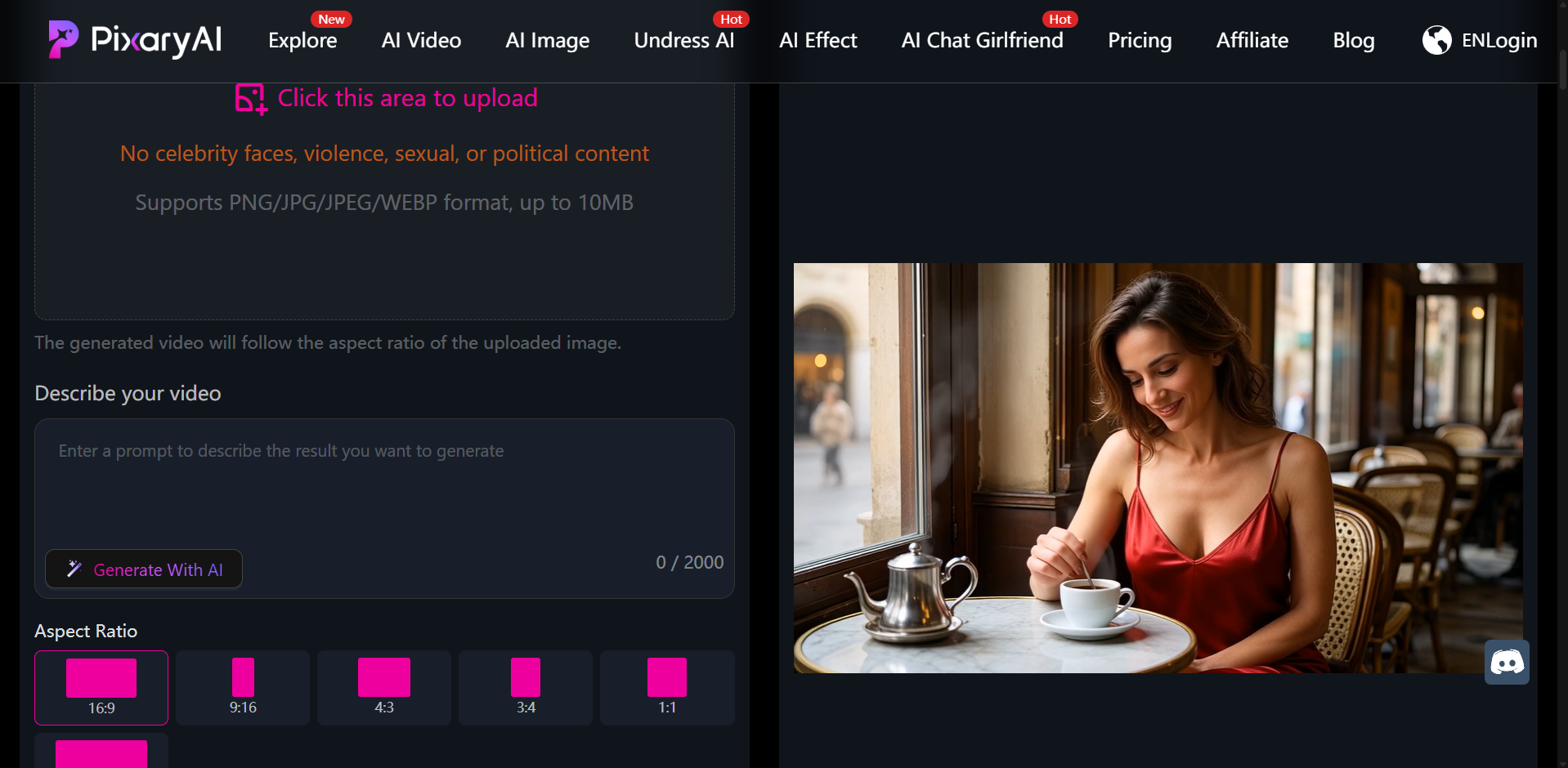
PixaryAI targets creators who want ai generated porn video from text or references without juggling separate undress, upscale, and animate tabs. Text-to-image, image-to-image, multi-image fusion, text-to-video, and image-to-video live in one ai video porn generator workspace.
Where it fits well
Clothing editor before motion
Many porn ai video generator platforms strip on upload only. PixaryAI lets you swap, remove, or refine outfits first, then render the still. In our batch, one outfit pass often replaced two or three full undress retries we saw on upload-only flows.
Pipeline speed (when credits last)
Still previews landed around 5–8 seconds median. Short ai generated porn video clips generally queued faster than PornWorks chains that waited on Ultimate queues plus per-clip tokens—though PixaryAI’s per-clip credit cost adds up quickly if you iterate motion often.
Output consistency
Across 10 runs, PixaryAI held face, pose, and lighting in 8/10 after re-edits. Skin texture and fabric edges stayed readable on paid HD stills and high-resolution video—important when clients reject jittery ai generated porn videos.
Pricing clarity for video
PornWorks can look cheaper until you need real ai porn video generator output; Ultimate plus token packs often exceeded PixaryAI’s flat monthly cost for weekly publishers in our spend log.

Single-login workflow
Text-to-video, image-to-video, multi-image blend, realistic or stylized looks—one login, browser-based, free trial to test the full path before paying.
Where it falls short (honest notes)
- Video credits consume quickly — a 5-second clip plus one motion retry can eat a noticeable slice of the 320 monthly credits; heavy publishers may need top-ups sooner than the sticker price suggests
- Fewer pose presets — motion templates are usable but thinner than PornWorks’ library; custom prompts work, but quick-pick posing takes more trial and error
- No Telegram workflow — everything stays in the web dashboard; fine for desktop creators, awkward if you liked PornWorks’ bot-style remote gens
- Limited batch automation — fine for daily singles, not for 12-parallel weekend factories
- No AI Characters serial system — recurring face across dozens of scenes is weaker than PornWorks
- Face-swap specialty is lighter — dedicated swap video on PornWorks Ultimate is more capable for that niche
Typical workflow
- Prompt or upload reference
- Adjust clothing (built-in editor)
- Generate HD still
- Image-to-video → private, no-watermark ai generated porn video
Pricing
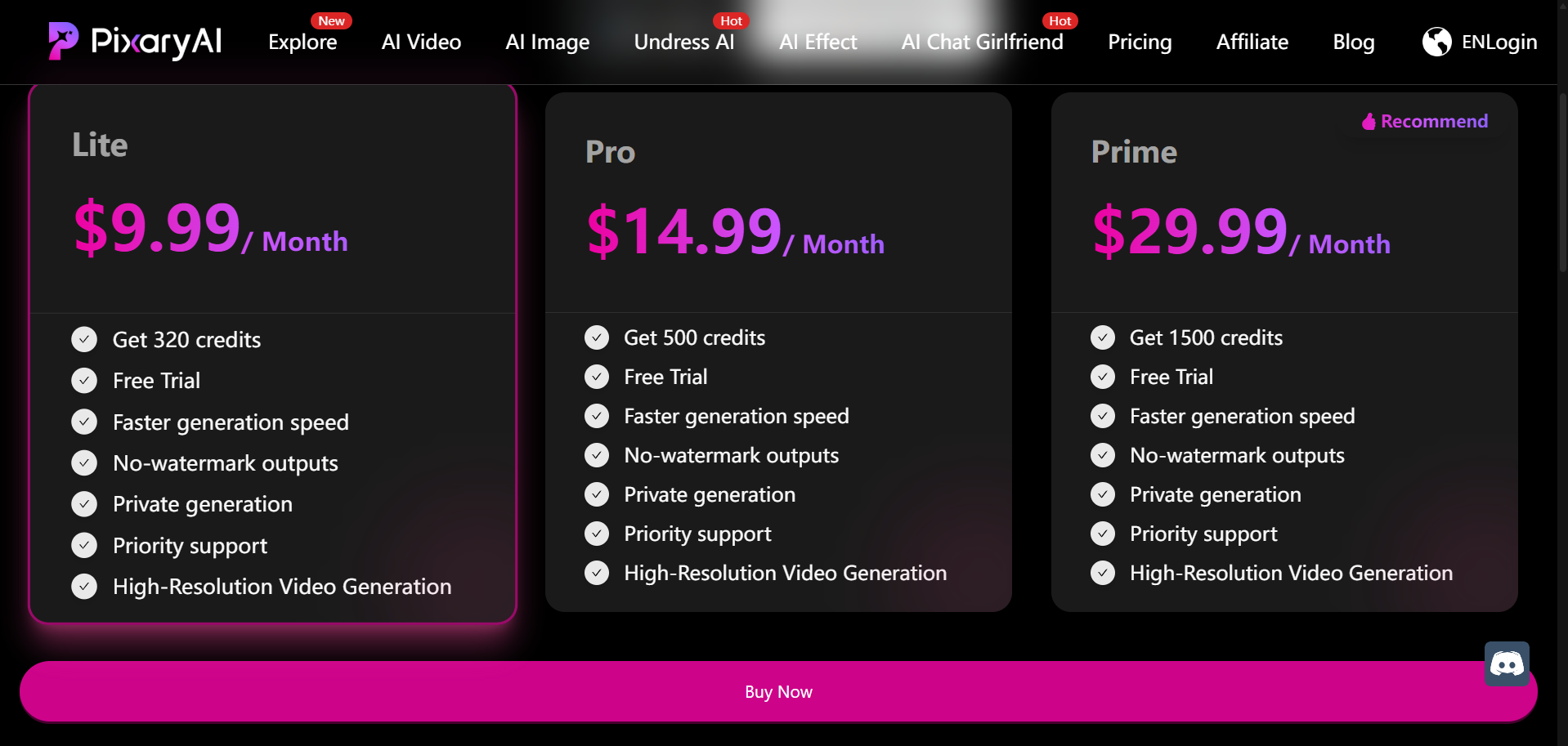
$9.99/month — 320 credits, faster generation, no watermark, private generation, priority support, high-resolution video. Online free trial available.
PornWorks — Budget NSFW Studio
Overview
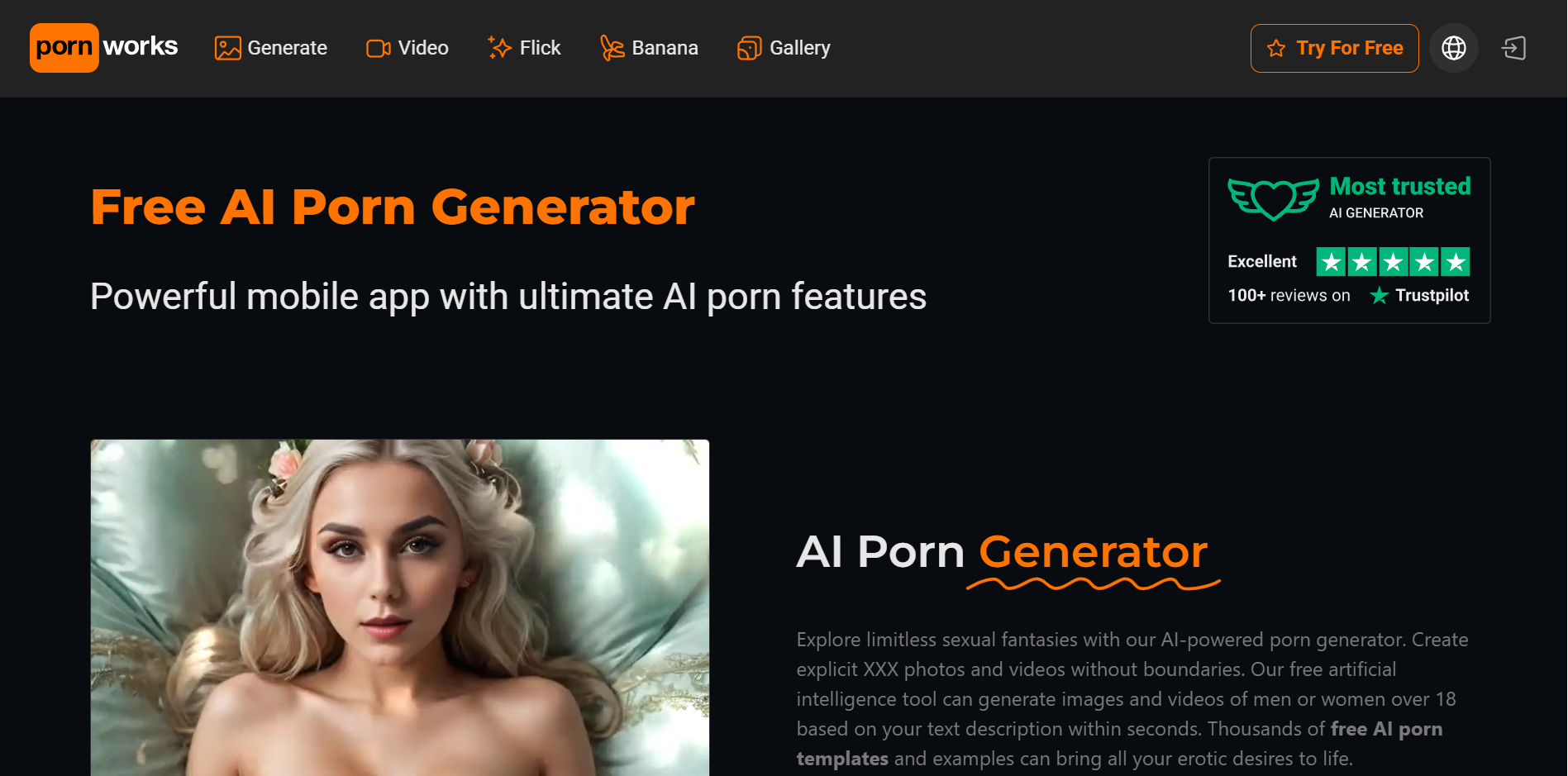
PornWorks is a 2026 ai video generator porn studio with text-to-image (realistic, anime, hentai), AI Characters, Magic Inpainting, face swap, 4K upscale, and AI Video Generator on Ultimate (~100 tokens per short clip).
Image and editing strengths
- Lite ~$2.99/mo: HD images, Magic Inpainting on generated images, 4 parallel gens, large gallery storage
- Plus ~$7.99/mo: 4K upscale, 6 parallel, Full-HD stills
- Prompt-to-image with LoRA-style templates at no extra cost on paid tiers
- Strong still anatomy and inpainting for fix-up work after generation
For still-only discovery, PornWorks’ daily free gens beat many trials—but that is not the same as unlimited ai generated porn video export.
Video and motion
Creators testing ai porn video generator free paths on Lite often hit a paywall: reliable ai generated porn videos need Ultimate plus tokens. PixaryAI exposes the same pipeline in trial that you pay for later, which made side-by-side cost comparison easier in week one.
Trade-off: Ultimate video is capable for face swap and template-heavy motion, but token math and queue waits frustrated our timed batch more than PixaryAI’s credit model—especially when undress failed before animation started.
Privacy and billing
- SSL/TLS; crypto / Apple Pay / Google Pay; discreet billing descriptors possible
- Moderation plus metadata/watermarking on some outputs
- Policy may retain account data up to ~1 year—privacy-focused users should compare ToS with PixaryAI’s private mode claims
Pricing (2026)
- Free: daily generations (tool access varies)
- Lite: ~$2.99/mo
- Plus: ~$7.99/mo (annual ~$3.99/mo)
- Ultimate: ~$14.99/mo (annual ~$7.49/mo) — video, upload undress, video face swap, 12 parallel, unlimited storage
- Credit packs: from ~$6.99 (e.g. 30,000 credits + bonuses)
Multi-Aspect Showdown
AI generated porn video quality and control
PixaryAI’s pre-render outfit step reduced bad stills before we spent video credits. PornWorks’ Magic Inpainting and AI Characters shine when you are fixing stills or keeping one face across a large image set—not always when you need a fast single clip out the door.
Speed and stability
PixaryAI won median time in our log; PornWorks Ultimate closed the gap when undress succeeded on the first pass. Stability favored PixaryAI on re-edits; PornWorks won when we leaned on Characters plus inpainting instead of re-uploading.
Pricing and value
For ai video generator porn as a weekly habit, PixaryAI’s $9.99 video-inclusive tier was simpler to budget. PornWorks wins on free ai porn video generator still play and the cheapest Lite entry, but full motion pushed total cost above PixaryAI for our 10-clip publish simulation.
Uncensored export
Both support uncensored ai video generator workflows on eligible paid tiers. PixaryAI emphasizes private generation on paid plans; PornWorks offers private gallery options but read retention language carefully. Neither replaces your own judgment on consent and lawful use.
Quick Match: Which Tool Should You Choose?
- Daily ai generated porn video clips with outfit fixes before render → PixaryAI
- Cheapest HD still exploration or ai porn video generator free daily tests → PornWorks free / Lite
- Face swap + inpainting + 4K still studio → PornWorks Plus / Ultimate
- Serialized AI Characters across many scenes → PornWorks
- Fewer tier jumps for HD video included in base subscription → PixaryAI ($9.99)
- Telegram bot or 12-parallel batch weekends → PornWorks Ultimate
- Free uncensored ai video generator trials (limited)—compare trial terms on both before uploading identifiable content
FAQ: What Creators Ask Before Subscribing
Is it safe to upload my own images?
Both platforms are 18+ cloud services. Use only content you have rights and explicit consent to process. Encryption in transit is standard; neither tool removes your legal responsibility. Avoid identifiable third-party photos unless you have documented permission.
How private are my generations?
PixaryAI highlights private generation and no watermark on paid tiers. PornWorks offers private gallery controls but its policy may retain account-related data longer—check current ToS and deletion options before you upload sensitive material. For maximum caution, assume cloud storage until you confirm deletion behavior.
How do subscriptions and credits actually work?
PixaryAI: $9.99/mo includes 320 credits and HD video on the entry paid plan—straightforward for “one plan, video included.” Video iterations can drain credits faster than still-only work.
PornWorks: Tiered pricing from free daily gens to Lite/Plus for stills, then Ultimate (~$14.99/mo) for video plus ~100 tokens per short clip. Heavy users often buy credit packs. Better if you want cheap stills; cost rises when motion becomes routine.
Can I try before I pay for video?
Yes, with limits. PixaryAI offers an online free trial on the production pipeline. PornWorks’ free tier is strong for stills but does not replace a full ai video generator uncensored motion test without upgrading. We recommend one identical 5-second clip on both trials before committing.
Which tool is better for realism?
Depends on the job. PixaryAI when you fix wardrobe before motion and want fewer moving parts. PornWorks when you need AI Characters for recurring faces across many stills, then Ultimate for video. Neither guarantees perfect anatomy on every run—budget retries.
Are these tools legal everywhere?
Laws vary by region and use case. Non-consensual imagery, minors, or impersonation without consent are prohibited on both platforms and may be illegal where you live. Read each site’s acceptable-use policy and local law.
Do I need the “best ai porn video generator” headline answer?
There is no single best ai porn video generator for every creator. If you publish short realistic clips weekly and hate token surprises, PixaryAI matched our workflow better. If you live in stills, inpainting, and face swap, PornWorks Ultimate is worth the steeper climb. Most people benefit from running the same source image through both trials once.
Safety, Ethics and Compliance
Both platforms are 18+ only. Use only content you have rights and explicit consent to process. Ai generated porn video tools must not be used for non-consensual or minor imagery. Data encryption in transit is standard; legal duty stays with the user.
Final Verdict
For ai porn video generator workflows—especially ai generated porn video you intend to ship weekly—PixaryAI came out ahead in our tests on pipeline simplicity, median export time, outfit control before render, and $9.99/mo video-inclusive pricing. It is not the cheaper tool for still-only exploration, and video credits run down faster than the pricing page alone suggests.
PornWorks remains a capable porn ai video generator ecosystem for budget stills, Magic Inpainting, Telegram-friendly workflows, and Ultimate-tier face swap—but the path to reliable ai generated porn videos usually costs more steps and more tier upgrades than the Lite price implies.Practical recommendation
- Choose PixaryAI if you want one dashboard, pre-render outfit control, and HD video without living on Ultimate plus token packs—accepting fewer pose presets and lighter batch tooling.
- Choose PornWorks if still volume, inpainting, Characters, or face swap matter more than fastest single-clip turnaround—or if ai porn video generator free still testing is your main goal before any paid motion work.
- Still undecided? Run the same consented portrait and 5-second motion prompt on both free trials; compare completion time, credit spend, and whether you needed a redo. That single exercise told us more than any feature list.
關於作者


PixaryAI 提供無限制的 AI 內容創作,滿足您在照片、GIF 或影片方面的所有需求。
 立即免費試用