
Test de Wan 2.6 : test du nouveau générateur vidéo AI sur PixaryAI
Alibaba vient de se déployer Réseau Wan 2.6, et après avoir passé du temps à le tester Générateur vidéo Wan 2.6 AI, je peux affirmer avec certitude que cette mise à jour représente une avancée significative. Par rapport aux versions précédentes, Wan 2.6 AI gratuit les flux de travail offrent désormais une meilleure compréhension du langage de la caméra, des transitions de prise de vue plus fluides, des mouvements corporels plus convaincants et un niveau de réalisme de scène nettement plus élevé.
Dans cet article, je vais vous présenter les différences générales entre Wan 2.5 et Wan 2.6, ainsi que quatre scénarios rapides pratiques de Wan 2.6, chacun conçu pour un objectif créatif différent. Que vous soyez en train d'explorer Générateur vidéo Wan 2.6 gratuit options ou affinement d'idées vidéo plus avancées, ces exemples vont au-delà des simples invites à copier-coller : ils montrent comment penser de manière stratégique lorsque vous demandez Wan 2.6.
Wan 2.5 vs Wan 2.6 : différences générales
Les différences entre Wan 2.5 et Wan 2.6 ne sont pas des affirmations marketing abstraites, elles apparaissent clairement dans l'utilisation réelle. Du point de vue de l'évaluateur, trois domaines définissent l'écart entre les deux versions.
Fonction de jeu de rôle
Il s'agit de la mise à niveau la plus fondamentale de Wan 2.6.
- Wan 2.6 : Présente le premier fonction de jeu de rôle parmi les modèles vidéo d'IA domestiques. Le système peut reconnaître automatiquement apparence et voix de caractères à partir d'images ou de vidéos saisies. Cela permet le remplacement de personnages, l'imitation d'actions et la génération de vidéos basées sur les rôles sans écrire manuellement des instructions détaillées.
- Wan 2.5 : Ne prend pas en charge le jeu de rôle. Les utilisateurs doivent se fier entièrement aux instructions textuelles pour décrire les traits de caractère, l'apparence et le comportement, ce qui entraîne souvent des résultats incohérents.
Du point de vue des tests, cela fait Générateur vidéo Wan 2.6 AI beaucoup plus accessible pour les créateurs qui souhaitent des sorties rapides et cohérentes avec les caractères.
Durée de génération vidéo
La durée influe directement sur le potentiel narratif.
- Wan 2.6 : Supporte la génération de vidéos jusqu'à 15 secondes, permettant une plus grande densité de contenu et une progression narrative plus fluide.
- Wan 2.5 : Limité à 10 secondes, ce qui donne souvent l'impression que les scènes sont précipitées ou incomplètes.
En pratique, les cinq secondes supplémentaires Génération vidéo gratuite Wan 2.6 améliore considérablement le rythme, en particulier pour les scènes à action multiple ou émotionnelles.
Capacité narrative multi-plans
C'est là que Wan 2.6 commence à ressembler à un outil de réalisation de films plutôt qu'à un simple générateur.
- Wan 2.6 : Peut traduire les instructions en scripts à plans multiples, gérant automatiquement les transitions de prise de vue tout en préservant la cohérence du sujet et de la scène. Cela le rend adapté au contenu de style cinématographique professionnel ou semi-professionnel.
- Wan 2.5 : Se concentre principalement sur la génération de clichés uniques. Les vidéos à plans multiples nécessitent un assemblage manuel, et il est difficile de maintenir la cohérence entre les plans.
Lors des tests, cette fonctionnalité expliquait à elle seule pourquoi les mêmes instructions produisaient des résultats nettement meilleurs dans Wan 2.6.
Tester Wan 2.6 en action
Après avoir testé les fonctionnalités de base de Générateur vidéo Wan 2.6 AI avec différents scénarios, j'ai découvert que ses améliorations en termes de compréhension de la caméra, de réalisme du mouvement et de transitions multi-plans sont vraiment remarquables lorsqu'elles sont appliquées à des configurations de narration variées. Voici quatre exemples de suggestions qui mettent en évidence ces points forts :
Coffee Shop Chemistry : une soirée romantique chaleureuse
Couple assis à une table de café confortable. Plan fixe de l'extérieur d'un café au crépuscule, plan moyen filmé à travers une fenêtre pour capturer une conversation, plan en contre-plongée de tasses à café et de mains qui se touchent. Gros plan sur les réactions faciales, plan de haut en bas au-dessus de la table mettant l'accent sur les gestes intimes. Éclairer des reflets chauds et naturels sur le verre ; maintenir la cohérence des vêtements et de la coiffure.
résultat de Wan 2.6 :
Un résultat de 2,5 % :
Alley Sleuth : Détective à la chasse
Détective inspectant une ruelle sombre. Plan de suivi le long de flaques d'eau avec des reflets, plan en contre-plongée sur des empreintes de pas, gros plan à la loupe au-dessus d'indices. Inclinaison à angle élevé montrant la disposition de l'allée, plan par-dessus l'épaule observant l'environnement. Les rabats du trench-coat et les gestes subtils de la main sont maintenus de manière constante.
résultat de Wan 2.6 :
Un résultat de 2,5 % :
Adieu à la gare pluvieuse
Un couple fait ses adieux dans une gare pluvieuse. Commencez par une prise de vue à long objectif sous la pluie qui tombe, puis prenez une photo en contre-plongée de chaussures près de flaques d'eau. Plan filmé par-dessus l'épaule pendant un dialogue chuchoté, suivi d'un gros plan serré sur des lèvres tremblantes. Terminez par un plan de suivi alors qu'un personnage s'éloigne dans la foule. Éclairage maussade, interaction naturelle avec la pluie, réalisme émotionnel.
résultat de Wan 2.6 :
Un résultat de 2,5 % :
Scène d'entraînement au combat souterraine
Un combattant s'entraîne seul dans une salle de sport souterraine peu éclairée. Commencez par un plan de suivi à main levée en suivant ses pas, puis un plan en contre-plongée montrant des coups de poing touchant un sac lourd. Passez à un gros plan au ralenti de la sueur qui vole, passez à une prise de vue en POV pendant le Shadowboxing.Terminez par une prise de vue en angle élevé révélant la salle de sport vide. Physique constant, tension musculaire réaliste, éclairage spectaculaire.
résultat de Wan 2.6 :
Un résultat de 2,5 % :
Verdict de la critique : Wan 2.6 vaut-il la peine d'être utilisé sur PixaryAI ?
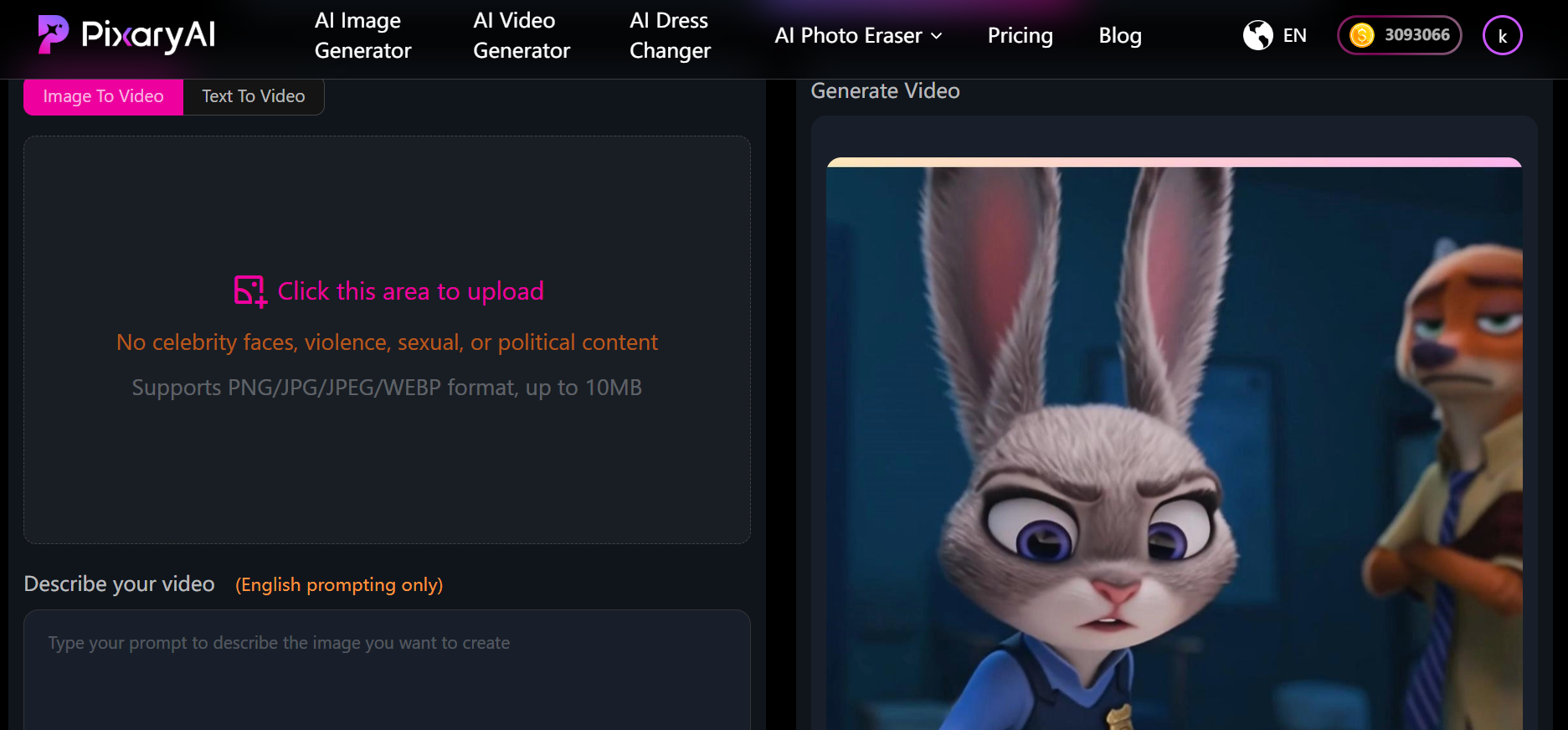
Si vous recherchez un Générateur vidéo Wan 2.6 gratuit option ou envie de tester Wan 2.6 AI gratuit flux de travail en ligne, PixaryAI est actuellement l'un des moyens les plus simples de le faire. Vous pouvez également explorer toutes les fonctionnalités du Générateur vidéo Wan 2.6 AI pour des projets plus avancés, ou expérimentez Génération vidéo gratuite Wan 2.6 pour des résultats créatifs rapides. Dans l'ensemble, le Générateur vidéo Wan AI cette fonctionnalité rend la production de vidéos plus simple et plus fiable que jamais. Avec PixaryAI, vous obtenez :
- Essai gratuit pour utiliser Wan 2.6
- Performances accrues dans Wan 2.6 AI gratuit flux de travail
- Sortie plus prévisible pour la conversion image-vidéo et texte-vidéo
Que vous expérimentiez Générateur vidéo Wan 2.6 AI fonctionnalités ou production de clips courts et polis, la mise à niveau en vaut vraiment la peine.
Résumé de l'évaluation finale
Wan 2.5 peut toujours générer des visuels utilisables, mais Wan 2.6 modifie la façon dont les instructions sont interprétées. Cela ressemble moins à demander un modèle d'image qu'à diriger une caméra. Si vous voulez générer une vidéo avec Wan 2.6 ou testez le Génération vidéo gratuite Wan 2.6 fonctionnalités, je recommande vivement de l'essayer directement sur PixaryAI. Utilisez les mêmes instructions que vous utilisiez auparavant : l'amélioration parle d'elle-même.
À propos de l'auteur

Vous pourriez aimer
Image à vidéo par IA illimitée : PixaryAI contre Funy.ai — Qu'est-ce qui est vraiment illimité ?

Test du nouveau Wan 2.5 de PixaryAI : examen complet du générateur vidéo AI illimité
Benchmark AI Undress Bot 2026 : 9 outils classés pour des résultats impeccables en quelques minutes

PixaryAI propose une création de contenu IA illimitée pour répondre à tous vos besoins, que ce soit pour des photos, des GIFs ou des vidéos.
 Essayez gratuitement maintenant