

PixaryAI vs Pollo.ai: Which AI Video Generator Offers Better Value and Performance?
Over the past few years, generative AI has moved far beyond research labs and into everyday creative workflows. What once required professional software and long production cycles can now be done in minutes using tools like a text to image AI generator, a text to image creator, or even a free text to video AI platform. As a content creator passionate about AI tools, I wanted to see how far these tools have actually come—especially for regular users like content creators, marketers, educators, a
Over the past few years, generative AI has moved far beyond research labs and into everyday creative workflows. What once required professional software and long production cycles can now be done in minutes using tools like a text to image AI generator, a text to image creator, or even a free text to video AI platform.
As a content creator passionate about AI tools, I wanted to see how far these tools have actually come—especially for regular users like content creators, marketers, educators, and casual users who just want fast results without a steep learning curve.
That’s why I decided to do a 1v1 comparison between PixaryAI and Pollo.ai. Both are multi-functional AI aggregation platforms that support text to image, text to video AI, AI image to video, and various AI filter effects. In this article, I’ll compare them across several practical dimensions: interface friendliness, ease of use, generation quality, speed, pricing, and privacy policies—based on real usage. If you want to quickly understand the features, advantages, disadvantages, and applicable scope of these two tools, please scroll to the end of the article.
PixaryAI Overview:
PixaryAI positions itself as an all-in-one AI creative aggregation platform that balances productivity with entertainment. It’s designed to support both casual experimentation and more serious commercial use cases.
Core Features
- Text-to-Image: Works as a flexible text to image AI generator and text to image creator, suitable for portraits, concepts, and stylized visuals
- Text-to-Video: A practical text to video generator that focuses on visual coherence rather than flashy transitions
- Image-to-Video: An AI image to video generator that animates still images with noticeable motion continuity
- Templates & AI Effects: PixaryAI offers a wide range of built-in image and video effects with ready-to-use preset templates.
Strengths
High-quality output: Videos and images generated by PixaryAI generally maintain consistent resolution, style, and detail, giving creators reliable results for marketing, storytelling, or social media content.
Intuitive interface: The platform is user-friendly, allowing even beginners to quickly use text to image AI generator tools and generate visuals without technical expertise.
Creative flexibility: PixaryAI provides numerous templates and AI filter effects to enhance visual storytelling and generate engaging content efficiently.
Generation speed: It delivers ultra-fast video generation, turning prompts or images into finished videos with minimal wait time for an efficient, real-time creation experience.
Limitations
- Learning curve for advanced effects: While the interface is intuitive, mastering all creative options—especially combining multiple models—may take some experimentation.
Safety & Privacy
PixaryAI places strong emphasis on user privacy. All uploaded and generated content, sucha as text-to-image AI and AI filter outputs and so on, is automatically deleted after 42 hours, ensuring no long-term storage of sensitive material. The platform also provides clear commercial-use rights, making it suitable for professional creators who want to monetize their work without concerns over copyright or data retention.
Pollo.ai Overview:
Pollo.ai leans more toward being an AI video generation hub, with a stronger emphasis on experimentation and variety rather than commercial consistency.
Core Features
- Text-to-Video AI: One of its main highlights, often marketed as a best text to video AI for casual users
- Image-to-Video: Supports image to video AI free options for basic animations
- AI Filters & Effects: A wide range of playful and viral-style AI filter effects
Strengths
- Fast generation speed: Pollo.ai clearly prioritizes speed and novelty. Most of its text to video AI tools are designed to deliver results quickly, even with minimal prompt input. This makes the platform appealing for users who want to test ideas, explore visual styles, or generate quick content without spending much time refining prompts or parameters.
- Low entry barrier: With simple workflows and image to video AI free options for basic animations, Pollo.ai is easy for beginners and casual creators to get started without technical friction.
Limitations
- Limited control for refinement: Compared with more commercially oriented platforms, Pollo.ai provides fewer fine-grained controls, which can make it harder to achieve precise or repeatable results.
- Commercial use restrictions: The lack of detailed documentation on commercial rights may pose challenges for users planning to monetize or repurpose generated content professionally.
- Less suited for long-term projects: The strong focus on speed and novelty means Pollo.ai may not be ideal for workflows that require consistent output quality across multiple assets or campaigns.
Safety & Privacy
Pollo.ai provides basic content guidelines, but its privacy policy is less clearly defined compared with PixaryAI. User-uploaded and generated content is not guaranteed for long-term retention, and detailed procedures for data handling are limited. For casual or experimental use, this is generally acceptable, but users should exercise caution if privacy or regulatory compliance is a priority.
Feature-by-Feature Comparison
Image-to-Video Capability
PixaryAI
It converts static images into short animated videos with smooth motion and high facial consistency. In tests, a portrait retained its identity across frames with minimal distortion. Its text-to-image AI and AI filter features enhance professional quality and usability. The main limitation is fewer exaggerated or playful effects, making it less ideal for highly experimental animations.
Pollo.ai
It focuses on speed and variety, quickly generating animations through image to video AI free tools, perfect for trying out different visual styles. The resulting clips are dynamic but can show occasional visual artifacts and inconsistent motion. It remains a fun option for users creating quick, short-form, or experimental content.
Verdict: PixaryAI performs better for users who value visual stability, while Pollo.ai suits quick experimentation.
Text-to-Video Capability
PixaryAI
PixaryAI delivers predictable and usable results when using text prompts, with fewer random visual jumps or inconsistencies. Its text-to-video AI feature ensures smoother, more stable outputs, making it reliable for creators who need consistent animation quality.
Pollo.ai
Pollo.ai, on the other hand, interprets prompts more experimentally, generating visually striking videos that can vary significantly across runs. While its outputs can be impressive and playful, the best text to video AI experience may feel less stable for professional or precise content needs.
Verdict: PixaryAI is more reliable for structured content, while Pollo.ai favors creative randomness.
Templates & AI Effects
Using the same AI Kissing-style template:
PixaryAI delivered more natural motion and better scene coherence:The platform’s text-to-video AI and AI image to video generator tools produced animations with smooth transitions, stable character movements, and consistent scene composition. Even with complex prompts, the results retained visual harmony, making it ideal for creators seeking professional-quality and reliable outputs.
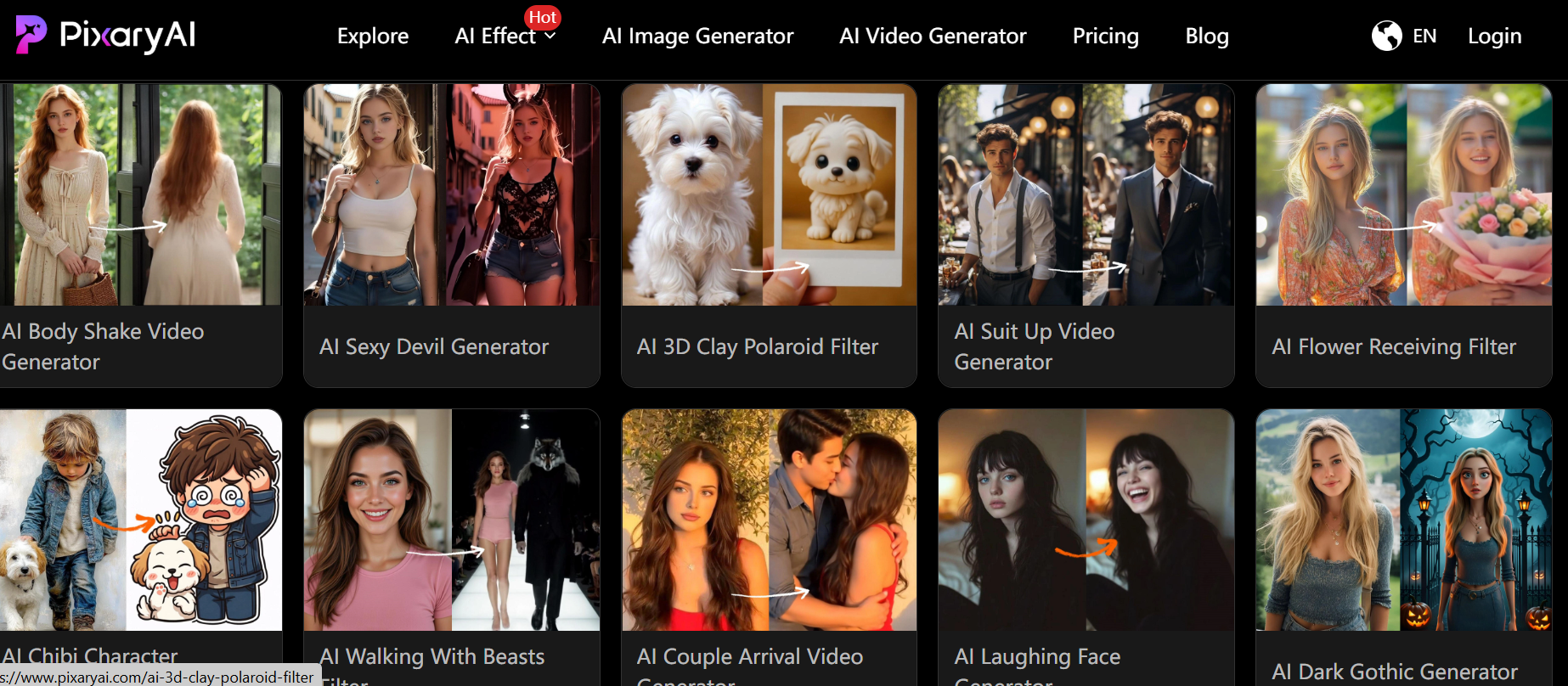
Pollo.ai emphasized dramatic effects and faster rendering: With a focus on speed and variety, Pollo.ai’s image to video AI free and AI filter features generated visually striking clips quickly. The platform prioritizes bold animations, exaggerated motions, and experimental visual styles, which is perfect for testing creative ideas or producing short-form content, though stability can sometimes be inconsistent.
Verdict: PixaryAI feels more balanced, whereas Pollo.ai is more entertainment-driven.
Quick Overview Comparison Table
| Aspect | PixaryAI | Pollo.ai |
| Interface | Clean & intuitive | Feature-dense |
| Ease of Use | Beginner-friendly, quick access to text-to-image and text-to-video AI generator | Requires exploration; more experimental AI image to video and AI filter options |
| Generation Quality | Stable & consistent, smoother motion and scene coherence | Variable; emphasizes dramatic effects, occasional visual artifacts |
| Speed | Fast & consistent for text-to-video AI and AI image to video generator | Very fast rendering, but output stability depends on prompts and style |
| Pricing | Predictable; free daily uses, upgrade from $5/month, flexible credit purchase | Credit-heavy; limited free attempts, upgrade from $11.5/month, cannot purchase credits separately |
| Commercial Usability | Strong; clear commercial-use rights and AI content privacy | Limited on free tier; commercial-use guidance less clear |
PixaryAI stands out as a platform that combines commercial practicality, entertainment value, and creative flexibility. It feels suitable for users who want dependable outputs that can be reused in professional or semi-commercial contexts.
Pollo.ai works well for users who enjoy experimenting with AI filters, viral-style videos, and quick results. However, it may not be ideal for projects requiring consistency or clear commercial licensing.
Final Recommendation
If your priority is balanced performance and long-term usability, PixaryAI is the safer choice. If you’re exploring ideas or creating casual content, Pollo.ai can still be fun and effective. I personally prefer using PixaryAI for its stability, smoother motion, and versatile features. Give PixaryAI a try today and experience why it’s my go-to AI generator!
People Also Ask:
Can I generate NSFW content with PixaryAI or Pollo.ai?
Both platforms focus primarily on safe-for-work content and do not officially support nsfw image to video AI generation. Attempting to create explicit content may violate their content policies.
Are there any unlimited NSFW AI image-to-video generators?
There are no mainstream platforms offering unrestricted nsfw AI image to video generator no limit features. Users should be cautious, as unregulated generators may pose security, privacy, and ethical risks.
Is there a free trial?
Both platforms offer limited free access.
Which platform has better video quality?
PixaryAI is more consistent overall.
Do they support commercial use?
PixaryAI provides clearer commercial usage terms.

You Might Like
My Surprising First Experience with PixaryAI Wan 2.5 as an AI Director
A hands-on look at the Wan 2.5 free video generator and why it might be the best Google Veo 3 and Sora 2 alternative right now. What Is Wan 2.5? Why Is It Worth Trying? (Wan 2.5 AI Video Generator Free Overview) After trying more and more AI video-generation tools, Wan 2.5 quickly became one of the few models that made me think, “Wow… this is actually ready for real content creation.” Wan 2.5 comes from Alibaba and is part of a new generation of Wan 2.5 open-source video models. Many people r
Wan 2.6 Review: Testing the New AI Video Generator on PixaryAI
Alibaba has just rolled out Wan 2.6, and after spending time testing this Wan 2.6 AI video generator, I can confidently say the update represents a meaningful leap forward. Compared with earlier versions, Wan 2.6 AI free workflows now deliver a clearer understanding of camera language, smoother shot transitions, more convincing body movement, and a noticeably higher level of scene realism. In this post, I’ll walk you through general differences between Wan 2.5 and Wan 2.6, and four practical Wa
PixaryAI vs BasedLabs: Best AI Video Generator Without Restrictions
30-Second Comparison Snapshot PixaryAI is the stronger uncensored image to video ai generator if you want a focused, low-cost monthly plan with built-in clothing edit and private, watermark-free exports; BasedLabs is the better pick if you need 50+ premium models, pay-as-you-go credits, and a wider ai uncensored video generator toolbox (face swap, audio, 196+ mini-apps) without a subscription. Key differentiators: * Pricing model: PixaryAI = $9.99/mo (320 credits, recurring); BasedLabs = one
